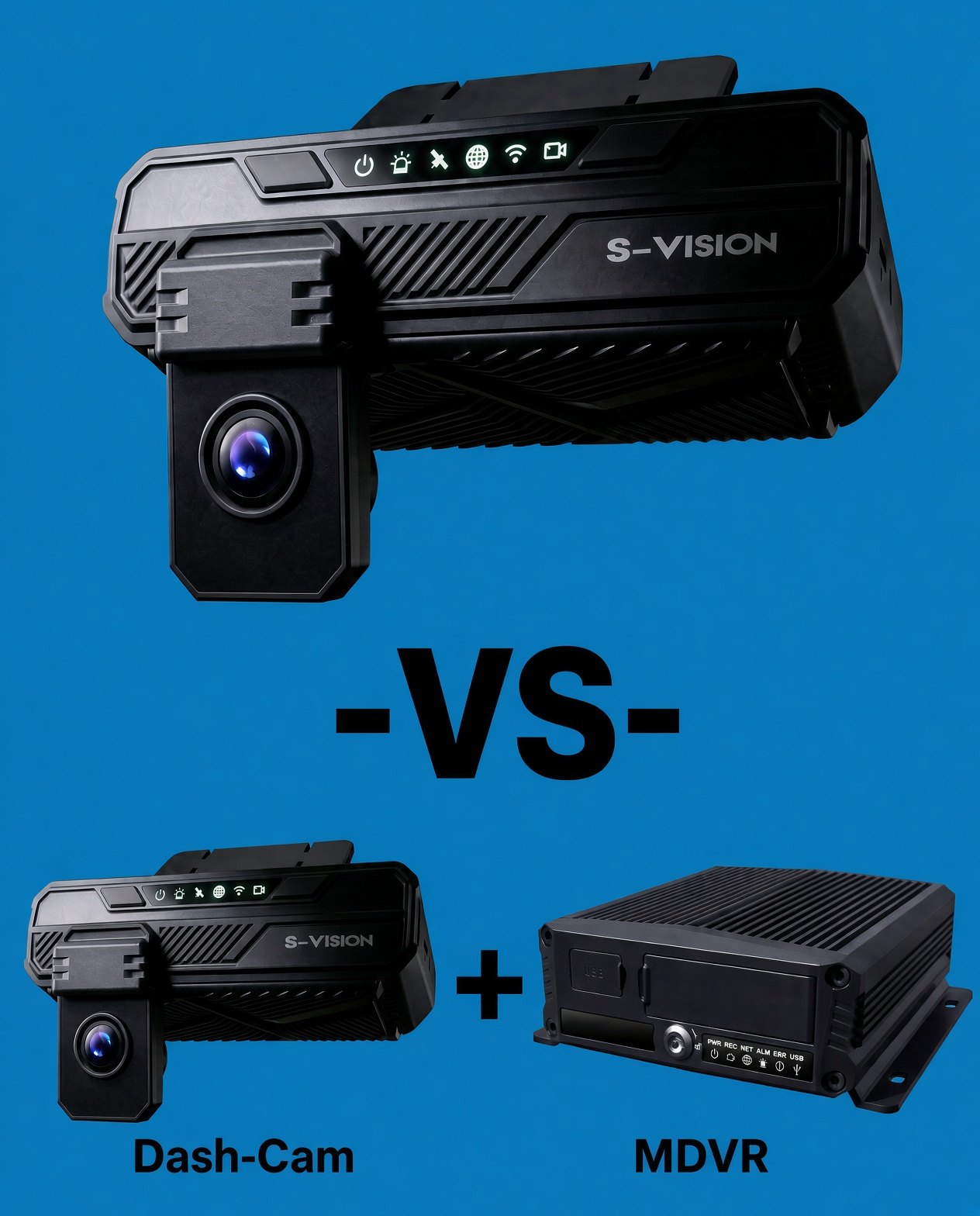
A dash cam is the right choice when your main risk is in front of the vehicle and in the cab: collisions, distraction, fatigue and phone use. An MDVR (mobile digital video recorder) is the right choice when you also need to see the sides, rear, doors or cargo area, because it records six to eight cameras at once and stores far more video. Many fleets run both: an AI dash cam for driver behavior, and an MDVR on the larger vehicles where blind spots cause the costly incidents.
Key takeaways
- A dash cam covers the road ahead and the driver. An MDVR covers everything around the vehicle.
- Most people killed in large truck crashes are outside the truck, in places a forward-facing camera cannot see.
- The dividing line is vehicle size and how close people work to it, not budget.
- Both connect to the same cloud platform, so a mixed fleet is still one dashboard.
What is the difference between an MDVR and a dash cam?
A dash cam is a single unit mounted on the windshield. A modern AI dash cam has two lenses, one facing the road and one facing the driver, and runs its detection on the device itself.
An MDVR is a recorder that sits out of sight in the vehicle and takes video from several cameras mounted around it: side, rear, door, interior, cargo and more. It records all of them at once and stores the footage on a larger drive.
The line between the two has blurred. The S-Vision Dash Cam is a dual-lens AI camera that also accepts four peripheral camera inputs, so a smaller vehicle can add side or rear views without a separate recorder. The real question is not “which device” but “how many angles, how much storage and which AI features does each vehicle need?”
Why does camera coverage beyond the windshield matter?
Because many of the people hurt in truck crashes are outside the truck, and many of them are in places a forward camera can’t see.
- According to the Insurance Institute for Highway Safety (IIHS), 5,340 people died in large truck crashes in 2024. Seventeen percent were truck occupants. 62% were occupants of cars and other passenger vehicles, and 19% were pedestrians, bicyclists or motorcyclists.
- Backing is its own risk. When NHTSA issued its rear visibility rule, it reported that “on average, there are 210 fatalities and 15,000 injuries per year caused by backover crashes” across all vehicle types.
- Distraction still drives crashes from the cab. NHTSA reports that 3,208 people were killed in motor vehicle crashes involving distracted drivers in 2024.
A dash cam covers the third point well. The first two need cameras on the sides and rear of the vehicle.
Video also matters after a crash. Research from the American Transportation Research Institute (ATRI) found that in the first five years of its data there were 26 cases over $1 million, and in the last five years there were nearly 300, and that the size of verdict awards grew 51.7 percent annually from 2010 to 2018. When the other party claims your truck caused a side-swipe or a backing incident, footage from that side of the vehicle is often the only thing that settles it.
“Blind spots on the side and rear of commercial vehicles need video coverage to avoid liability claims. We have seen several incidents that have cleared our customers of fault. Because the video footage is immediately available, companies can have it prepared for first responders when they arrive at the scene.”
Barry Saunders, President, S-Vision
How do S-Vision dash cams and MDVRs compare?
Here is how the options line up, based on the specs published on svision.ai:
| Option | Camera views | Onboard storage | Key AI and add-ons |
|---|---|---|---|
| Dash-Cam PRO | 2 lenses (road + driver) + 1 expandable input | Up to 1TB (dual SD slots) | Full ADAS + DMS suite; road-facing-only version available |
| S-Vision Dash Cam (4 inputs) | 2 lenses + 4 peripheral camera inputs | Up to 1TB (dual SD slots, 512GB each) | ADAS + DMS; pedestrian detection on peripheral channels |
| Smart Hub | 4 channels | Up to 1TB SD | AI pedestrian detection; optional in-cab and exterior alerts |
| 6-Channel MDVR | Upgraded dash cam + up to 5 more cameras | Up to 1TB SD | Optional pedestrian detection and Bird’s Eye 360° module |
| 8-Channel MDVR: Class 8 | 8 channels | Up to 14TB solid state | Optional pedestrian detection and 360°; alarm serial harness |
| 8-Channel MDVR: Transit | 8 channels: interior, door and exterior | Up to 14TB solid state | Optional pedestrian detection, 360° and people counter |
The full lineup is on the S-Vision MDVRs and storage page. The recorders are rated IP69K for rugged duty.
When is a dash cam enough?
A dash cam usually covers it when:
- Most of your crashes and claims are front-end: rear-ending another vehicle, lane drift, running stops.
- Your vehicles are pickups, vans or light trucks with good mirror visibility.
- Your main goal is driver coaching and risk scoring for distraction, fatigue, phone use, seatbelts and following distance.
- You want a fast rollout. Svision.ai notes that experienced technicians can install the dash cam in about 60 minutes, with OBD power and automatic calibration.
If you need one or two extra views, such as a rear camera on a van, the dash cam’s extra inputs can handle it without moving up to an MDVR. For union fleets, S-Vision also offers a road-facing-only version with no in-cab lens.
When does a fleet need an MDVR?
Step up to an MDVR when:
- The vehicle is big. Class 8 trucks, buses and ready-mix mixers have blind spots on the right side and rear that mirrors don’t cover.
- People work close to the vehicle. Transit stops, school loading zones, delivery streets and job sites put pedestrians within a few feet of the body. MDVRs support AI pedestrian detection with in-cab and exterior alerts.
- You need doors, interior or cargo on video. The 8-channel transit model is built for interior, door and exterior cameras, with an optional people counter for metro and transit buses.
- You need long retention. Up to 14TB of solid-state storage holds far more footage than an SD card.
- Drivers need to see all the way around. The 6- and 8-channel MDVRs support the optional Bird’s Eye 360° surround module, which stitches four wide-angle cameras into one top-down view and switches to the rear or side camera automatically when the driver reverses or signals.
“S-Vision recommends a peripheral camera on any vehicle the same size as a van and larger. Having visibility mitigates the risk of an accident. Dash cams do not give drivers visibility of the road; they allow companies to monitor and see the behavior of drivers.”
Barry Saunders, President, S-Vision
Can you use both on the same fleet?
Yes, and that is the most common setup for mixed fleets. Every S-Vision dash cam and MDVR connects to SV-Cloud, so managers see video, safety events and driver scores from all vehicles in one place. SV-Cloud also brings in data from platforms such as Samsara, Lytx and Geotab, so a fleet doesn’t have to replace what it already runs.
A typical split looks like this:
- Light vehicles (pickups, service vans): AI dash cam, plus one rear camera if the vehicle backs up often.
- Delivery and box trucks: dash cam with peripheral cameras, or a 6-channel MDVR when side and cargo views matter.
- Class 8, buses and mixers: 8-channel MDVR with pedestrian detection and the 360° module.
“Unlike some companies, S-Vision does not charge more on the subscription for peripheral cameras. The subscription rate for a dash-cam is the same as the subscription rate for a dash-cam plus peripheral cameras.”
Barry Saunders, President, S-Vision
Frequently asked questions
What is an MDVR?
An MDVR, or mobile digital video recorder, records several vehicle cameras at once, such as side, rear, door, interior and cargo views, and stores the footage on an SD card or solid-state drive. S-Vision MDVRs support 4 to 8 camera channels and up to 14TB of storage.
Is an MDVR better than a dash cam?
Not always. A dash cam is better suited to monitoring the road ahead and the driver. An MDVR is better when you need coverage around the whole vehicle. Many fleets use both, depending on vehicle size.
Can a dash cam record more than two cameras?
Some can. The S-Vision Dash Cam has a road lens, a driver lens and four peripheral camera inputs. The Dash-Cam PRO adds one extra camera input.
Do MDVRs support AI pedestrian detection?
Yes. The S-Vision Smart Hub includes AI pedestrian detection, and it is optional on the 6- and 8-channel MDVRs, with in-cab and exterior alerts.
Can I view dash cam and MDVR video in the same software?
Yes. S-Vision dash cams and MDVRs both connect to SV-Cloud, which also integrates data from platforms such as Samsara, Lytx and Geotab.
Find the right setup for each vehicle
S-Vision offers AI dash cams, 4- to 8-channel MDVRs and 360° surround systems on one cloud platform. Request a demo and we’ll help you match the right system to each vehicle in your fleet.
Sources
- IIHS, Fatality Facts 2024: Large Trucks (posted June 2026)
- U.S. Department of Transportation / NHTSA, NHTSA Announces Final Rule Requiring Rear Visibility Technology (March 31, 2014)
- NHTSA, Distracted Driving Dangers and Statistics (2024 data)
- American Transportation Research Institute, New Research Documents the Scale of Nuclear Verdicts in the Trucking Industry (June 23, 2020)
- S-Vision, MDVRs & Storage, AI Dash Cam, 360° Surround and SV-Cloud Platform